

Amazon Connect - Call Authentication - Python
Pre-requisites
- First Orion Branded Communications agreement
- Access to First Orion Customer Portal
- Vetted and Approved Business
- Ability to originate phone calls from configured phone numbers in calling platform
- Understanding of current calling platform and environment to integrate required API
Generate First Orion API Keys
Check out this guide for API Credentials - Guide Link
Lambda Setup
Lambda Directory and Code
- Create a local directory with this lambda_function.py file inside. Later, this will be the Lambda zip folder that's uploaded.
- If needed, change the a_number and b_number variables in the code to correspond to the payload from your input source.
- This example is being used by Amazon Connect. Connect documentation: doc link
# lambda_function.py

import json
import requests
import os

def lambda_handler(event, context):

    a_number = event["Details"]["ContactData"]["SystemEndpoint"]["Address"] # Phone number making the call.
    b_number = event["Details"]["ContactData"]["CustomerEndpoint"]["Address"] # Phone number being called.

    # For your logging processes.
    print("aNumber: " + a_number);

    # Makes the pre-call push.
    precall = push_precall(a_number,b_number)
    # Log pre-call push
    print("Pre-call Status: " +str(precall["statusCode"]))
    print("Pre-call Message: " +precall["body"])

    return (precall)

def get_token():
    api_key = os.environ['API_KEY'] # API Key set in enviroment variables.
    secret_key = os.environ['SECRET_KEY'] # Secret Key set in enviroment variables.

    url = "https://api.firstorion.com/v1/auth"

    headers = {
      'X-SERVICE': 'auth',
      'content-type': 'application/json',
      'X-API-KEY': api_key,
      'X-SECRET-KEY': secret_key
    }

    response = requests.request("POST", url, headers=headers)
    data = response.json()
    return data['token']


def push_precall(a_number,b_number):
    token = get_token()
    url = "https://api.firstorion.com/exchange/v1/calls/push"

    payload = json.dumps({
      "aNumber": a_number,
      "bNumber": b_number
    })
    headers = {
      'Authorization': token,
      'Content-Type': 'application/json'
    }

    response = requests.request("POST", url, headers=headers, data=payload)
    data = response.json()

    value = {
        'statusCode': response.status_code,
        'body': data['body']['message']
    }

    # Return JSON Object
    return json.loads(json.dumps(value))
# lambda_function.py
...
def lambda_handler(event, context):
a_number = "+15555555555" # Phone number making the call.
b_number = "+15554444444" # Phone number being called.
...Lambda Code Libraries
This Lambda requires the requests library to be included in the Lambda directory. Here is a method to include that library.
-
Navigate to the directory containing the lambda_funciton.py file.
-
Open this directory in a terminal and run the following. This should create the necessary library folders.
pip install requests -t ./ -
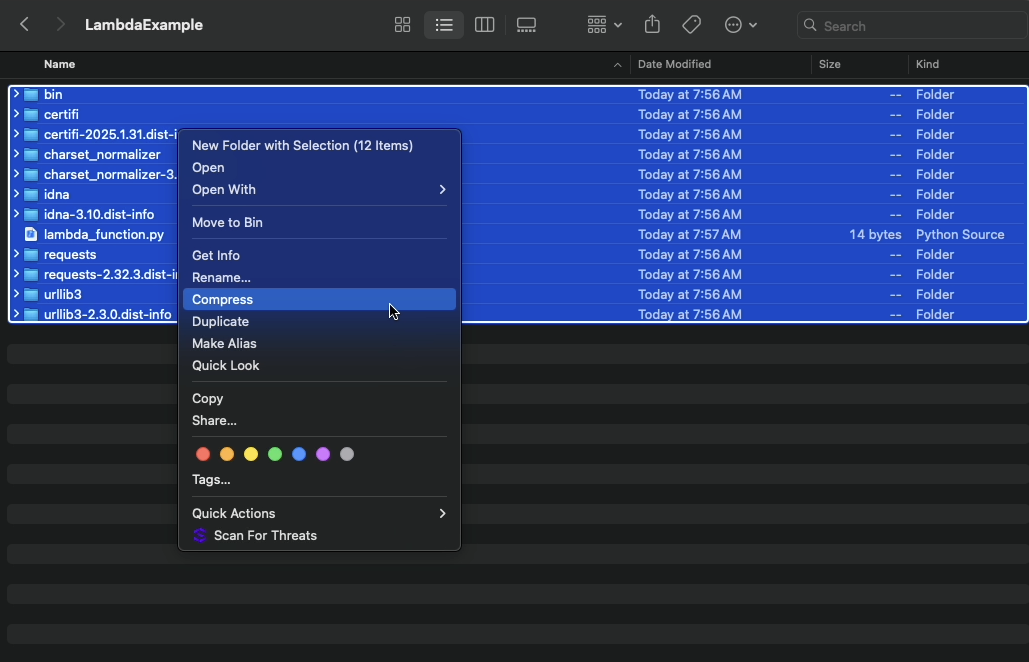
Compress/ZIP those folders with the lambda code from inside the folder. This will be uploaded to the Lambda
Lambda Creation
1. Create the Lambda
Environment Information
- Function Runtime: Python3.13
- Architecture: x86_64
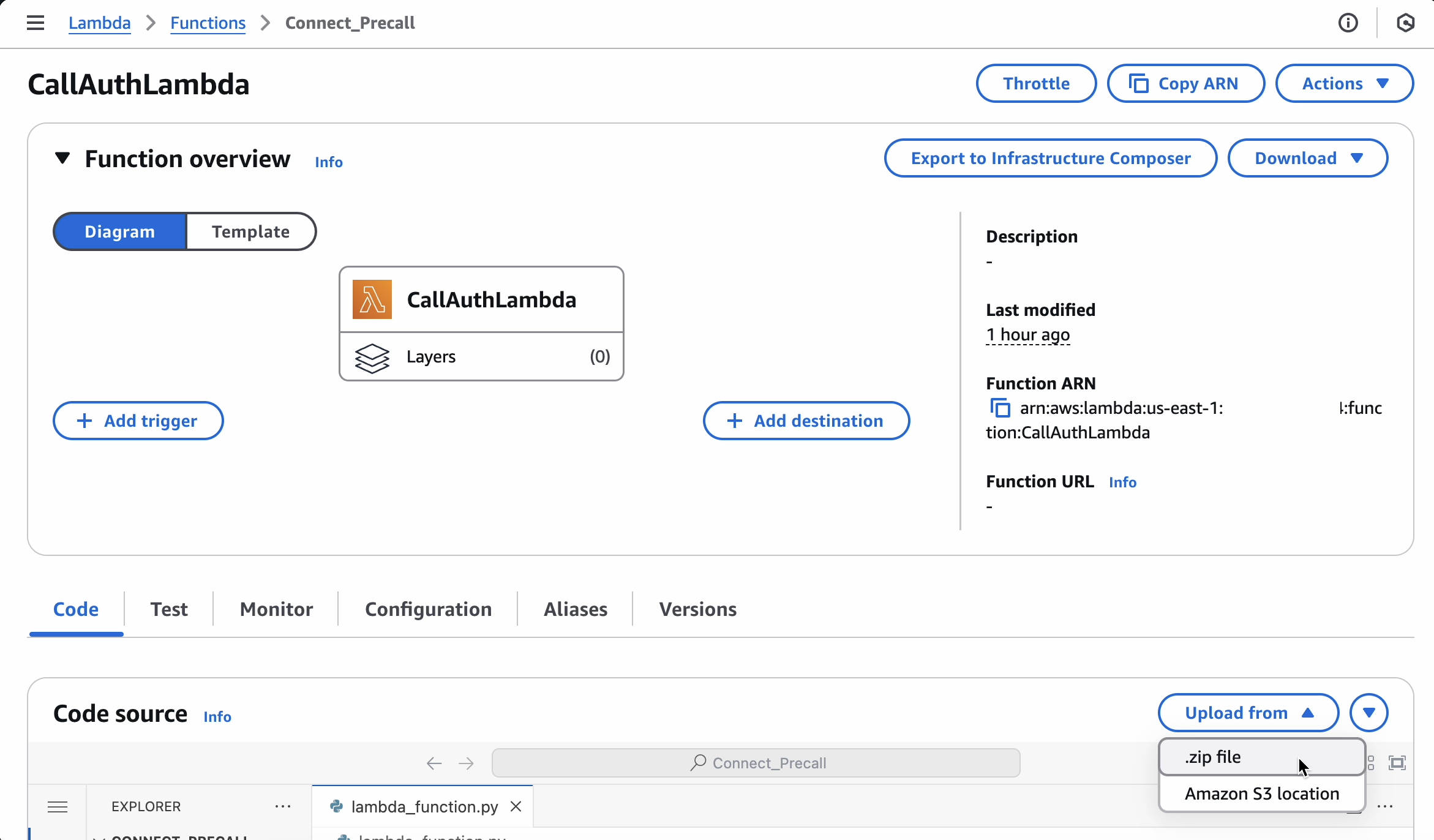
2. Upload Lambda Zip
- This is the compressed folder from above
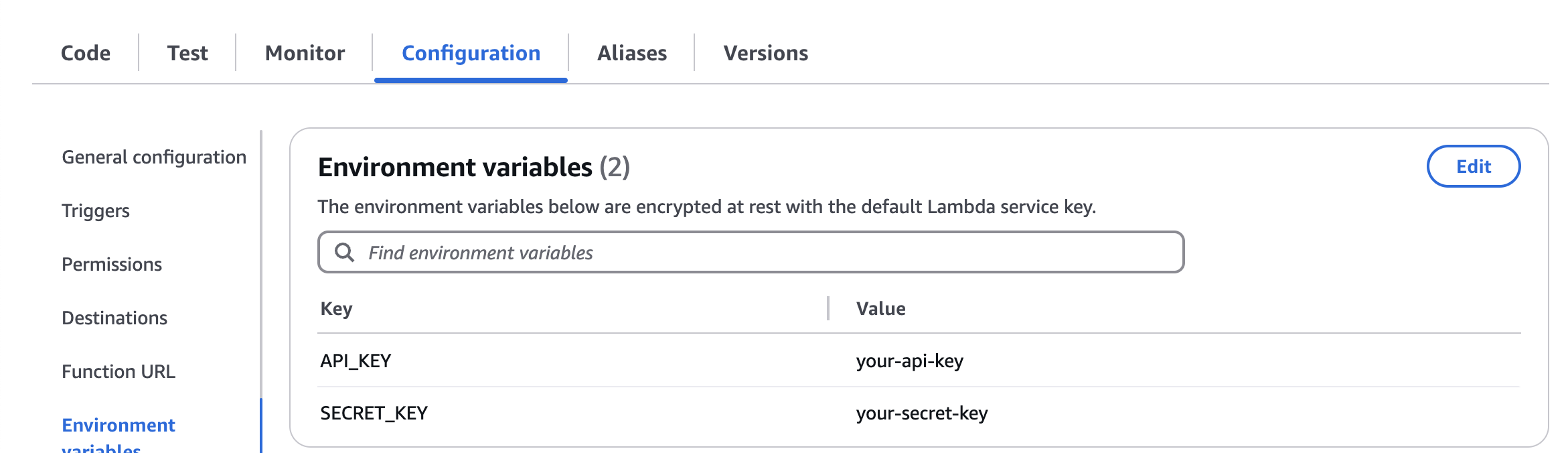
3. Add API Keys to Lambda Environment Variables
Using the Lambda
Change the a_number and b_number variables in the code to correspond to the payload from your input source.
- This example is being used by Amazon Connect. Connect documentation: doc link
# lambda_function.py

...
def lambda_handler(event, context):

    a_number = event["Details"]["ContactData"]["SystemEndpoint"]["Address"] # Phone number making the call.
    b_number = event["Details"]["ContactData"]["CustomerEndpoint"]["Address"] # Phone number being called.
...
# lambda_function.py
...
def lambda_handler(event, context):
a_number = "+15555555555" # Phone number making the call.
b_number = "+15554444444" # Phone number being called.
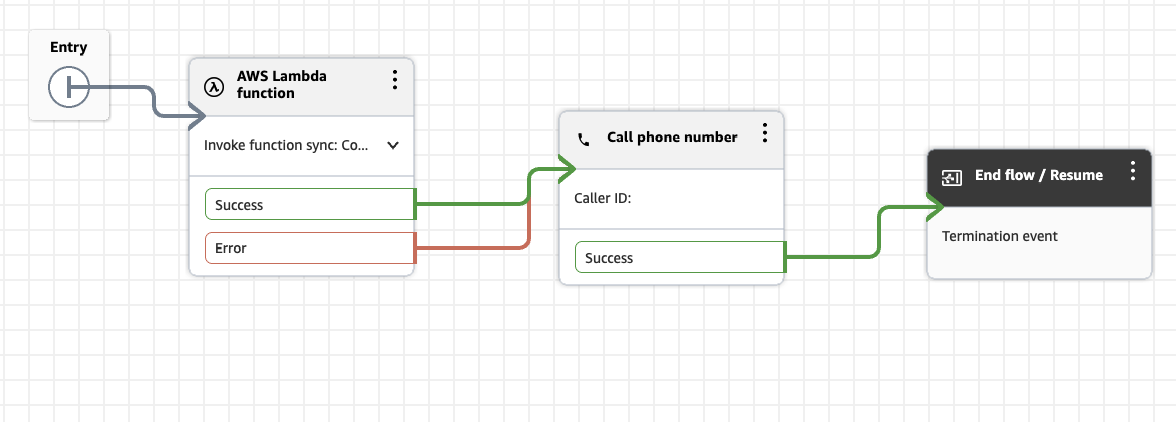
...- Example Amazon Connect Outbound Whisper Flow. Make sure to place the Invoke AWS Lambda function block before the Call phone number block, this will make sure the Call Auth API call happens before the phone call.
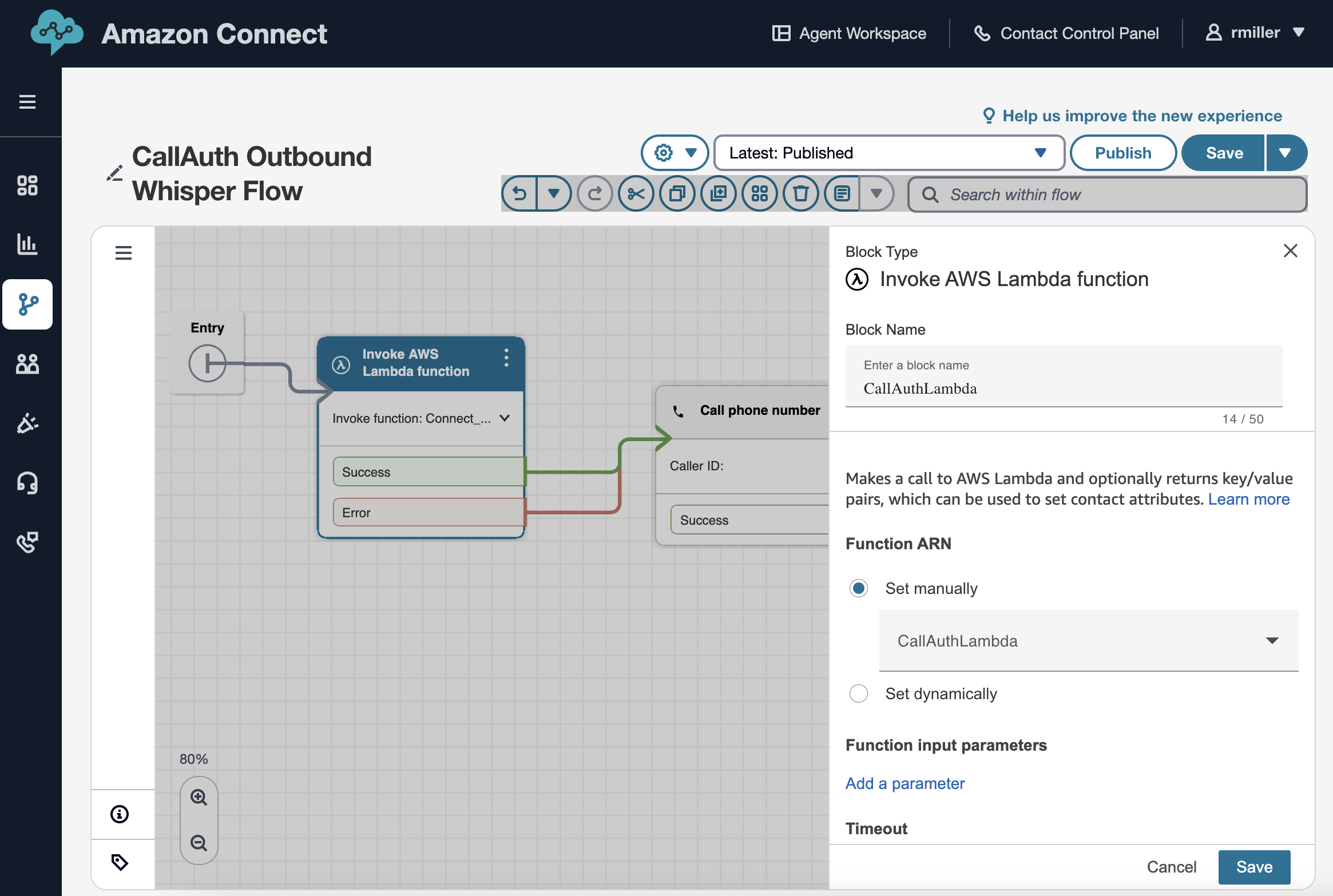
- Full Outbound Whisper Flow example.
Updated 8 months ago
Did this page help you?