

PROTECT+ - Cisco CURRI - Proxy
Pre-requisites
- First Orion PROTECT+ Risk Detection agreement
- Registered and Approved Business
- Expected Call Volumes
- Understanding of current calling platform and environment
- Customer CUCM IP Address
First Orion API Keys
API keys are sent within three business days of request
API Integration Setup
CUCM ECC Profile Setup:
First Orion Developer Operations will provide the AWS ALB's .pem certificate
Upload .pem Certificate
- Select Cisco Unified Operating System Administration from the dropdown menu in the top right of the screen then select Go
- Enter username and password
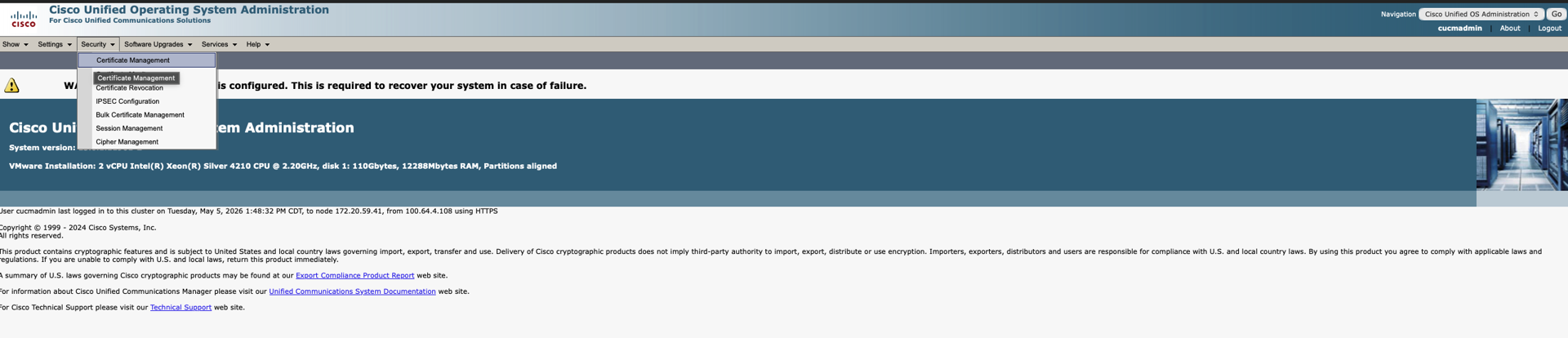
- Select Security then Certificate Management from the grey toolbar
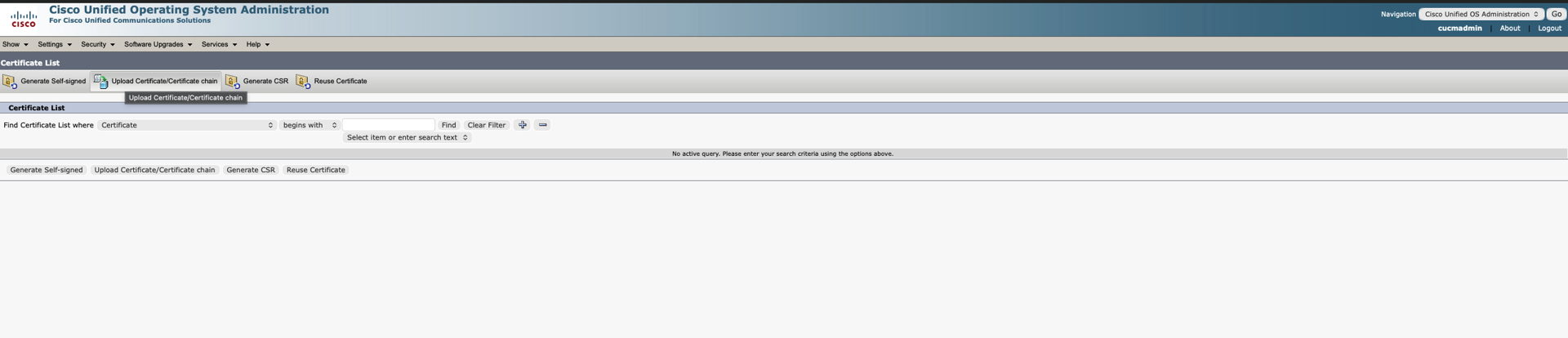
- Select Upload Certificate/Certificate Chain
- For Certificate Purpose, select CallManager-trust from the dropdown (description is optional)
- Upload the .pem certificate provided by First Orion using the Upload button
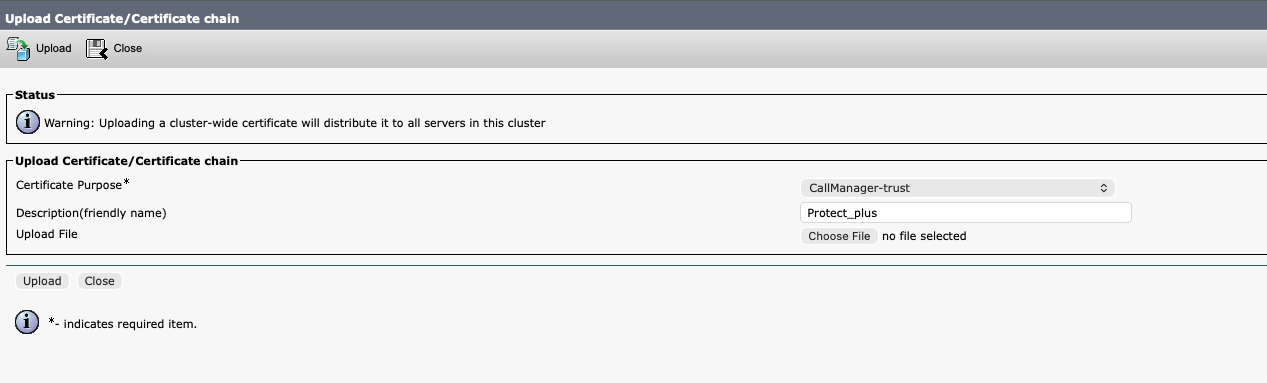
(Ensure file is uploaded correctly and the file name appears next to Choose File)
Create and Add the External Call Control (ECC) Profile
- Select Cisco Unified Operating System Administration from the dropdown menu located at the top right of the screen then select Go

- Enter username and password
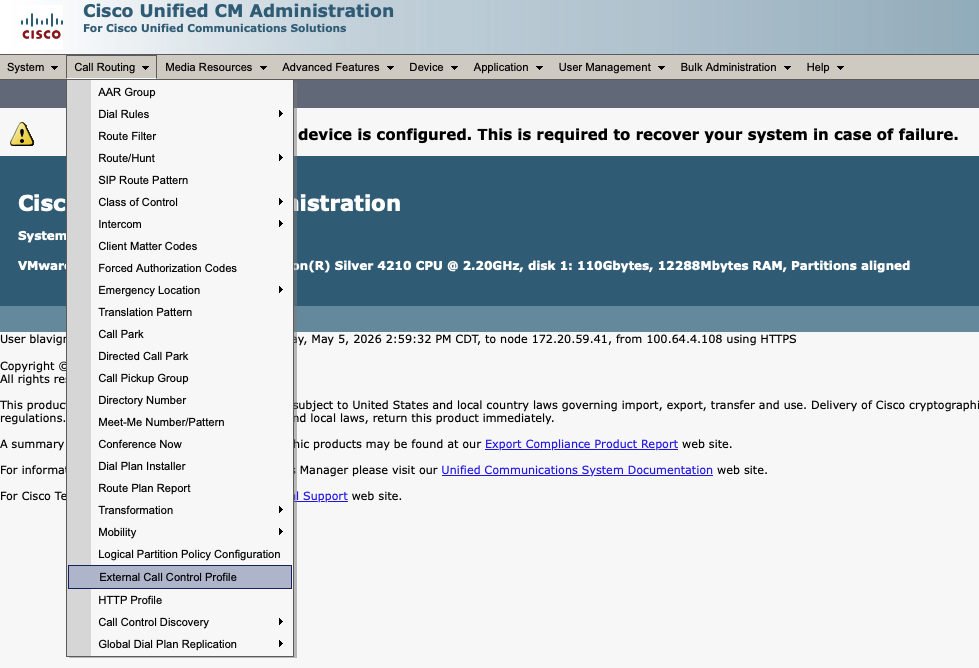
- Select Call Routing then External Call Control Profile from the grey toolbar
- Select +Add New in the grey toolbar

-
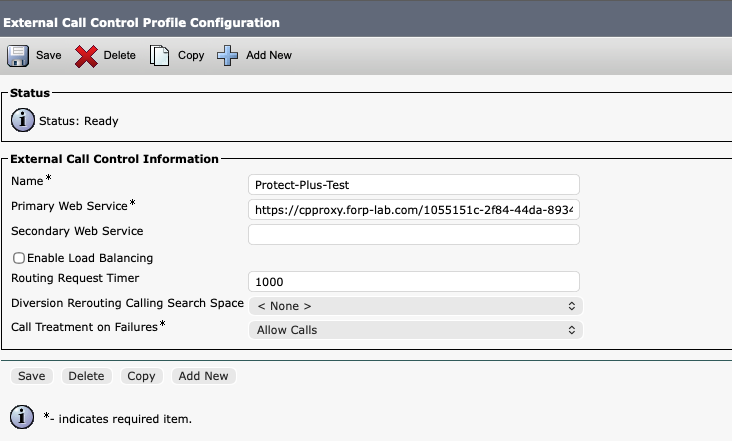
In the External Call Control Profile Configuration Modal:
a. Input a Name
b. Enter the URL provided by First Orion
c. Routing Request Timer = 1000ms is default
d. Call Treatment on Failures = Allow Calls (it is highly recommended to set Call Treatment on Failures to Allow Calls)
e. Select Save
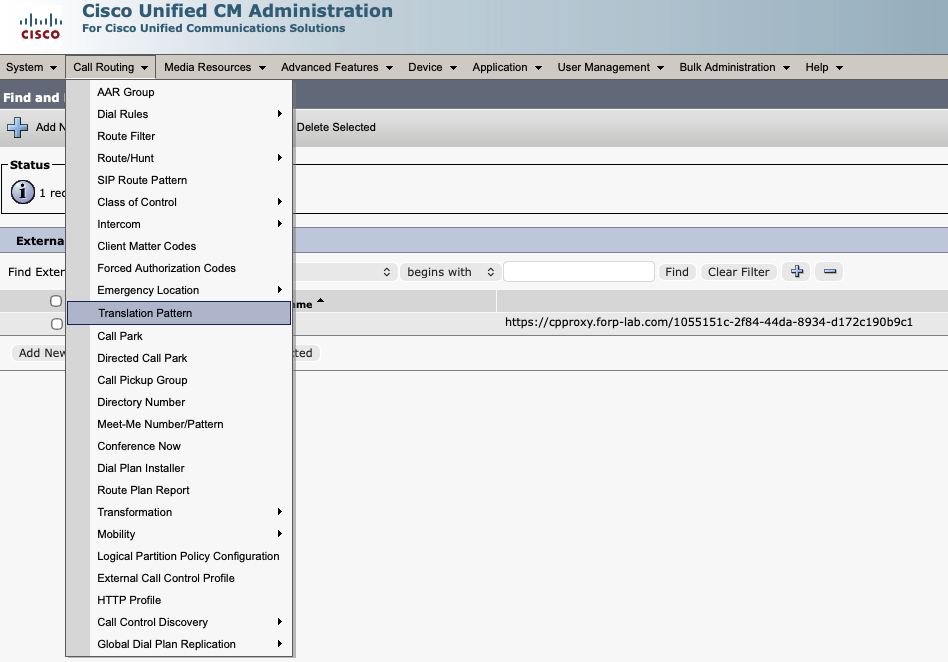
- Select Call Routing then Translation Pattern from the grey toolbar
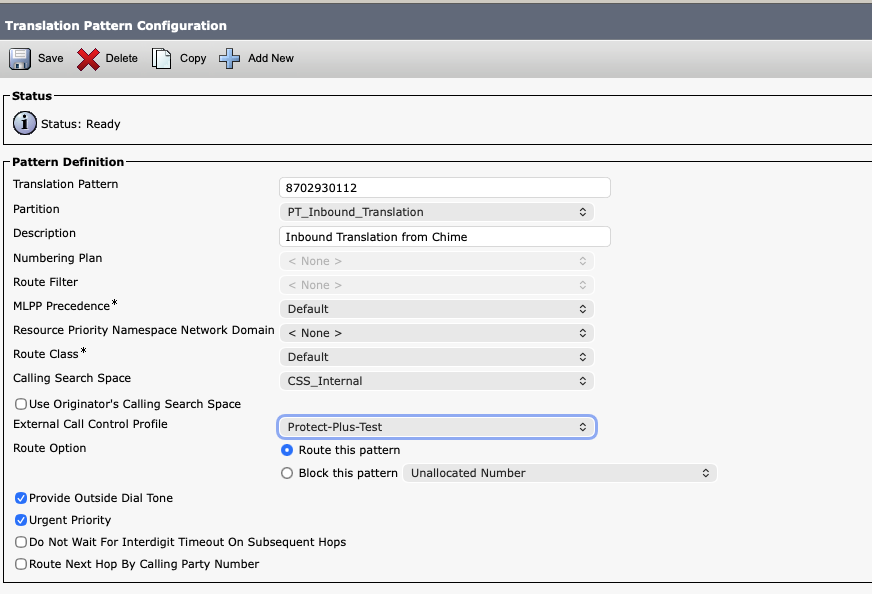
- Select each Translation Pattern that you plan to configure, with the details below in the modal:
- From the External Call Control Profile dropdown, select the ECC Profile created in step 5
- Select the Route Option labeled Route this pattern then select save

- First Orion collects the customer call treatment configuration. The call treatment configuration is uploaded into our Protect+ service and tells the calling platform what to do with the call.
Updated 4 months ago
Did this page help you?